Accessibility: How to Build Inclusive Applications with Pega
Blog
Pega
Process Automation & AI
.svg)
18.06.2026



Content elements
Some aspects of this are:
- Support for WAI-ARIA standards: The platform supports the WAI-ARIA standard (Web Accessibility Initiative – Accessible Rich Internet Applications), helping make digital content and web applications more accessible for people with disabilities.
- Accessibility Inspector: Pega includes a tool called Accessibility Inspector that lets developers check the accessibility of their applications.
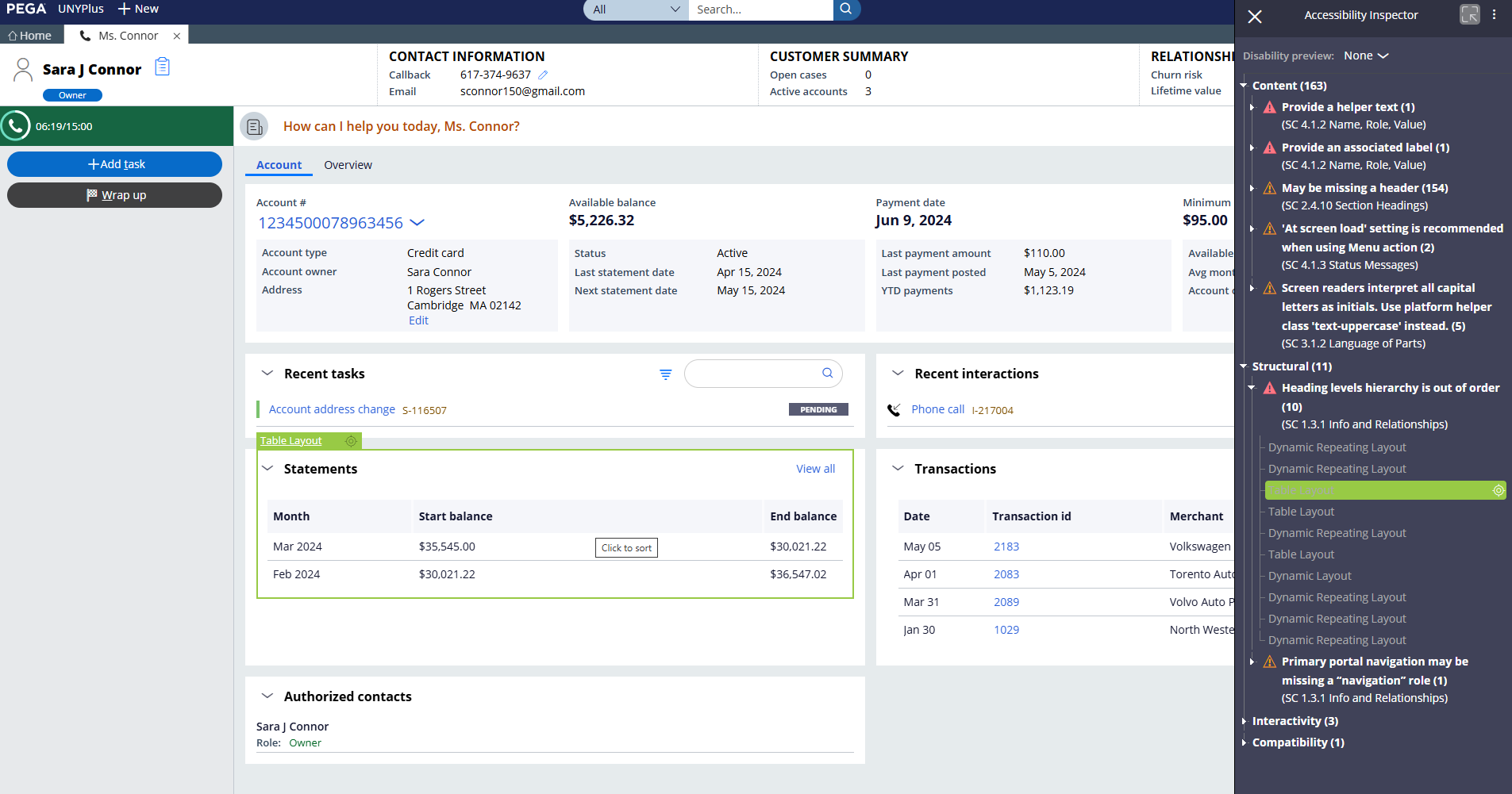
Example use of the Accessibility Inspector; source: USU Digital Consulting DemoApp
3. Best practices: Pega recommends several best practices, like adding labels to all fields and controls, avoiding inline styles, and making sure user interfaces show dynamic changes both visually and through live ARIA.
How accessibility is implemented can vary depending on the Pega UI architecture and design system you use.
Differences between the Pega UI Kit and Pega Constellation
Pega UI Kit
- Flexibility: The kit gives developers more flexibility when designing and customizing user interfaces. However, it also means taking more responsibility for meeting accessibility standards.
- Manual customization: Developers may need to make manual adjustments to ensure the application complies with WCAG guidelines.
Pega Constellation
- Built-in accessibility: Pega Constellation is designed with accessibility in mind from the start. Many features are built in, making it easy to meet standards like WCAG.
- Standardized components: The Constellation design system uses standardized UI components that are already optimized for accessibility. This reduces the effort developers need to make additional adjustments.
Both frameworks support the creation of accessible applications, but Constellation makes the process easier with prebuilt, optimized components.
More Concrete Examples of how Pega UI Kit and Pega Constellation ensure Accessibility
Pega UI Kit
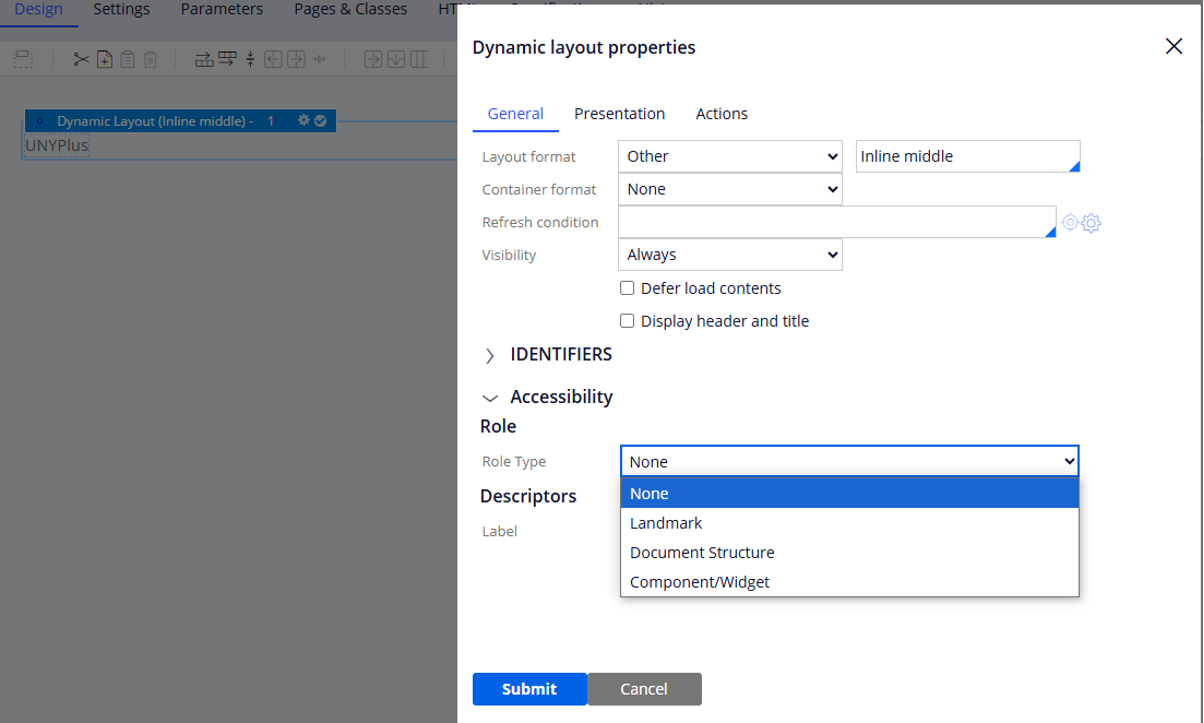
- ARIA roles: Developers can add ARIA role labels to make sure screen readers interpret elements correctly.
- Keyboard navigation: The UI Kit supports keyboard navigation, so users can move through the application without using a mouse.
- Contrast and colors: Developers can adjust color contrast to make sure text and controls are clearly visible for users with visual impairments.
Pega Constellation
- Templates and widgets: Constellation provides prebuilt templates and widgets that are already optimized for accessibility.
- Responsive design: Constellation makes sure the user interface works smoothly across different devices and screen sizes, improving accessibility.
- Automated testing: Constellation integrates tools for automated accessibility testing to ensure that all components meet the required standards.
Conclusion
Both frameworks offer strong solutions for ensuring accessibility, with Constellation making the process easier through its built-in, optimized components. In both cases, regular accessibility tests should be part of the process, and thanks to out-of-the-box features, they don’t take much time.
Share